Baseband Cuts
One isolated, baseband, time-cut signal per file — each with a metadata label. The clean, balanced examples a classifier trains on.
Open the generatorOne signal per file, cleanly labeled.
Each message is rendered to baseband and cut to its own file — no receiver tune, no other signals, no overlap. Multi-burst messages stay together as one cut. Every file ships with a metadata record of the exact parameters that produced it.
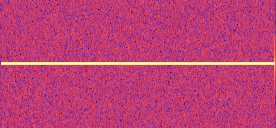
The simplest case — one signal, isolated at baseband.
A modulated message, cut to its own file and labeled.
Set a range and every cut is drawn independently.
The library spans generic modulations and the real over-the-air protocols built on them — framing, coding and payloads included, not just a carrier with the right shape. It grows continuously; the generator always lists what's available now.
Give any field a range (0.05–0.2) or a set (2,4,8) and it's sampled per signal — large, varied datasets, hands-off.
Add the flaws a real front end introduces — carrier and clock offset, phase noise, IQ imbalance, DC bias. Train on signals that look like the ones you'll actually receive, not just clean ones.
Export raw IQ (float32/64, WAV, SigMF, MATLAB, VITA49) or rendered spectrogram images.
From blank form to labeled zip.
-
1
Add signals and set parameters
Add one or more modulations and dial in sample rate, noise, and per-signal options. Use ranges to randomize.
-
2
Set how many
Choose a signal count — each one becomes its own independently-drawn, isolated file.
-
3
Pick an output format
Choose raw IQ or spectrogram images, and the file format for your pipeline.
-
4
Generate and download
Export a zip where every file carries a metadata record of the exact parameters that produced it.