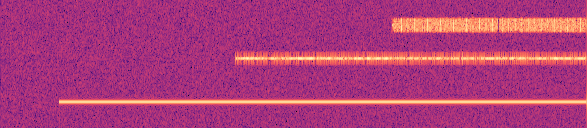
Wideband
Many signals placed in time and frequency and composited into one recording — the crowded captures detection and separation models need.
Open the generatorOne scene, many overlapping signals.
Every signal is placed at its own center frequency and start time and summed into a single wideband recording — overlapping in time and frequency, exactly like a real capture. The metadata records where each one lives, so the ground truth for detection and separation is exact.
Give each signal a center frequency and start time — or a range — and it lands there in the composite, out-of-band energy included.
The library spans generic modulations and the real over-the-air protocols built on them, so a crowded scene can be built from the signals that actually share a band. It grows continuously; the generator always lists what's available now.
Apply the flaws a real front end introduces across the whole capture — carrier and clock offset, phase noise, IQ imbalance, DC bias — so the scene degrades the way a recording does.
Export raw IQ (float32/64, WAV, SigMF, MATLAB, VITA49) or rendered spectrogram images.
From blank form to labeled zip.
-
1
Set the capture
Choose the recording's sample rate, length, and noise floor — the window every signal lands in.
-
2
Add signals and place them
Add modulations and give each a center frequency and start time (or ranges) to position it in the scene.
-
3
Pick an output format
Choose raw IQ or a spectrogram image, and the file format for your pipeline.
-
4
Generate and download
Export a zip with the recording plus a metadata record of every signal and the parameters that produced it.